
To change your name, email address, password or 2FA settings, click on your name at the top right of the application, and then select User settings:
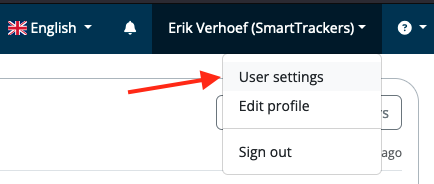 Then you will see this:
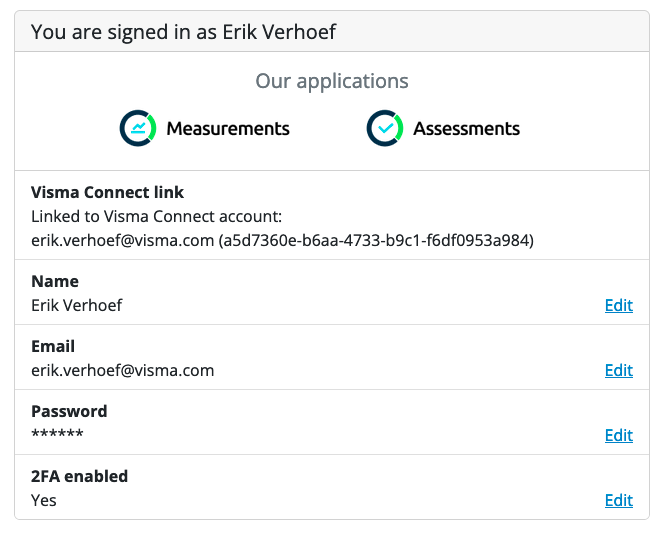 By clicking on Edit behind an item, you will enter your Visma Connect settings. There you can adjust all items with a blue color by clicking on them.
Then you will see this:
By clicking on Edit behind an item, you will enter your Visma Connect settings. There you can adjust all items with a blue color by clicking on them.